

The PlayStation 5 has quickly become one of the most powerful gaming consoles available today. With advanced hardware, fast storage, and immersive controller technology, it delivers smooth gameplay and detailed visuals that were difficult to achieve in earlier generations. The console’s custom CPU and GPU architecture support features like ray tracing and high frame rates, helping modern games look and perform better than ever.
However, many players use only a small portion of the console’s features. Hidden settings, accessories, and smart adjustments can dramatically improve performance, comfort, and overall enjoyment. Gaming experts and recent tech reviews continue to highlight simple changes that make a noticeable difference.
The following tips focus on practical improvements that can help unlock the full potential of the PlayStation 5. From optimizing display settings to expanding storage and upgrading audio, these strategies help create a smoother and more immersive gaming experience.
1. Optimize Video And Display Settings
One of the easiest ways to improve the PlayStation 5 experience is to fine-tune the display settings. The console supports advanced video features such as high refresh rates, variable refresh rate technology, and HDR.
Many players leave the default settings unchanged, but adjusting them can significantly improve visual quality and gameplay responsiveness.
Enable High Refresh Rate And Performance Mode
Modern televisions designed for gaming support refresh rates up to 120 Hz. When enabled, compatible games run with smoother motion and faster response times. Competitive players often prefer higher frame rates because they make movement and aiming feel more precise.
Performance mode prioritizes frame rate over graphical effects. This option is ideal for fast-paced games such as shooters, racing titles, and action-adventure games.
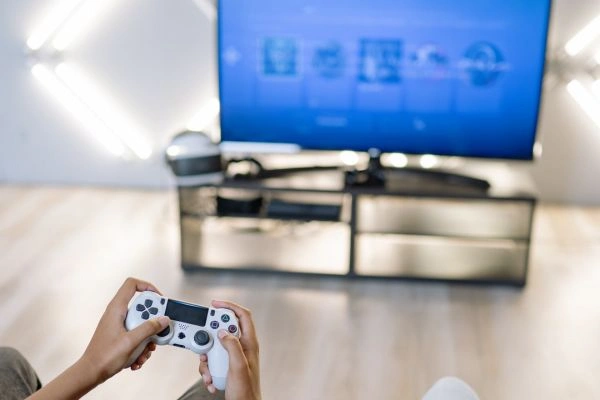
Adjust HDR And Color Settings
High Dynamic Range improves brightness and color depth, making environments look more realistic. Proper calibration ensures that highlights and shadows appear balanced rather than overly bright or too dark.
Display optimization settings such as VRR, ALLM, and 120 Hz output can also be activated on compatible televisions to enhance performance and responsiveness.
Choose The Right Gaming Display
A good display plays a major role in the gaming experience. Gaming televisions and monitors with HDMI 2.1 support unlock the PS5’s full visual capabilities.
Recommended display brands include:
- LG OLED Gaming TVs
- Samsung Neo QLED Gaming TVs
- Sony BRAVIA XR Gaming TVs
These models are widely recommended for their fast refresh rates, strong HDR performance, and low input lag.
2. Customize Game Presets For Faster Setup
Constantly adjusting settings for every new game can become frustrating. Fortunately, the PlayStation 5 includes a system-wide feature that allows global game presets.
This option allows players to choose preferred settings for difficulty, graphics mode, subtitles, and camera behavior. Once configured, new games automatically launch with those preferences.
Tech reviewers frequently recommend enabling this feature because it eliminates repetitive setup steps and ensures consistent gameplay settings across multiple titles.
Recommended Preset Settings
Many experienced players choose the following presets:
- Performance Mode For Action Games
- Resolution Mode For Story-Driven Games
- Subtitles Enabled For Dialogue-Heavy Titles
- Standard Difficulty As Default
These presets save time and ensure that games launch exactly the way the player prefers.
3. Improve Audio With High-Quality Headphones
Sound is often overlooked in gaming setups, but it plays a huge role in immersion. The PlayStation 5 supports advanced spatial audio technology that helps players identify footsteps, environmental cues, and enemy movement.
Better audio makes exploration more immersive and improves performance in competitive games.

Recommended Gaming Headsets
Top gaming brands known for excellent PS5 compatibility include:
- SteelSeries Arctis Nova Series
- Sony Pulse Elite Wireless Headset
- Razer BlackShark V2 Pro
- HyperX Cloud Alpha Wireless
These headsets provide clear directional audio, comfortable ear cushions, and strong battery life.
Recent system updates also introduced additional audio focus settings that allow players to enhance specific sounds, such as voices or background effects, when using headphones.
Use Audio Focus Settings
Audio focus settings allow players to boost certain frequencies. This feature can make dialogue easier to hear in story games or improve spatial awareness in multiplayer matches.
These adjustments can be found in the console’s sound settings menu.
4. Expand Storage With A High-Speed SSD
The PlayStation 5 includes an ultra-fast, solid-state drive that loads games much faster than traditional hard drives. However, the available internal storage fills up quickly when installing large modern titles.
Many popular games exceed 100 GB, which means storage management becomes necessary.
Install An M.2 SSD
The PS5 allows users to install compatible M.2 SSD drives inside the console to expand storage. Once installed, games can be downloaded and launched directly from the new drive.
This upgrade is one of the most effective ways to improve convenience and reduce the need to delete games constantly.
Recommended SSD Brands
High-performance SSDs recommended for PlayStation 5 include:
- Samsung 990 Pro NVMe SSD
- WD Black SN850X
- Seagate FireCuda 530
These drives are designed for high-speed gaming workloads and meet the performance requirements needed for PS5 titles.
Installing one of these SSDs can double or even triple the console’s storage capacity.
5. Adjust DualSense Controller Settings
The DualSense controller is one of the defining features of the PlayStation 5. Its adaptive triggers and haptic feedback create realistic sensations that make gameplay feel more immersive.
For example, the tension in the triggers can simulate pulling a bowstring or pressing the brake pedal in a racing game.
However, some players prefer to modify the controller settings for comfort or battery life.
Reduce Controller Power Consumption
Controller battery life can be extended by lowering the brightness of the light bar and adjusting vibration intensity. These settings reduce power usage while maintaining a responsive gaming experience.
Experts often recommend lowering haptic feedback intensity slightly during long gaming sessions to prevent fatigue.
Enable Auto Power Off
The controller can automatically power down after a period of inactivity. This feature helps preserve battery life and prevents unnecessary charging.
Small adjustments like these make the controller more comfortable during extended play sessions.
6. Use Remote Play For Flexible Gaming
Remote Play allows players to stream PlayStation 5 games to other devices such as smartphones, tablets, or computers. This feature is especially useful when the main television is in use.
Once enabled, the console can stream gameplay over the internet or a local network.
Advantages Of Remote Play
Remote Play provides several benefits:
- Play games from another room
- Continue progress while traveling
- Stream gameplay to mobile devices
- Use a second screen when sharing a TV
With a stable internet connection, the experience can feel nearly identical to playing directly on the console.
Recent system updates also improved controller connectivity by allowing DualSense controllers to pair with multiple devices, making switching between platforms easier.
7. Upgrade Your Gaming Setup
The environment surrounding the console also affects the overall gaming experience. Lighting, seating, sound systems, and accessories can all make a noticeable difference.
Gaming setups continue to evolve as players invest in equipment that improves comfort and immersion.
Gaming Chairs
A supportive chair prevents fatigue during long gaming sessions. Popular brands include:
- Secretlab Gaming Chairs
- Herman Miller x Logitech Gaming Chairs
- DXRacer Gaming Chairs
These chairs provide ergonomic support and adjustable features that help maintain good posture.

Surround Sound Systems
For players who prefer speakers instead of headphones, surround sound systems can create a cinematic experience.
Recommended options include:
- Sonos Arc Soundbar
- Sony HT-A7000 Soundbar
- Samsung Q-Series Soundbars
These systems produce powerful audio that fills the room and enhances gameplay immersion.
Gaming Lighting
Ambient lighting adds atmosphere to gaming spaces. LED light strips and smart lighting systems can synchronize with gameplay or music.
Popular lighting systems include:
- Philips Hue Play Gradient Lightstrip
- Govee Gaming Light Bars
These lights create a more dynamic and visually engaging environment.
Take Advantage Of PlayStation Plus
PlayStation Plus offers several benefits that improve the overall gaming experience. The subscription service provides access to online multiplayer, cloud saves, and a rotating library of downloadable games.
Subscribers also receive monthly games and exclusive discounts on the PlayStation Store.
The Extra and Premium tiers include hundreds of games across multiple PlayStation generations, giving players access to a massive library without purchasing every title individually.
For players who enjoy exploring different genres, this subscription can provide excellent value.
Extra Tips For A Better PlayStation 5 Experience
Beyond the main improvements above, a few smaller adjustments can also make gaming more enjoyable.
- Turn Off Automatic Trophy Videos
-
- The PlayStation 5 automatically records short video clips when trophies are earned. While this feature can be fun for sharing highlights, it consumes storage space quickly.
-
- Disabling this option frees up storage for games and downloadable content.
- Organize The Control Center
-
- The Control Center can be customized to display frequently used tools such as audio settings, downloads, and notifications.
-
- Rearranging these shortcuts saves time when adjusting settings during gameplay.
- Use Keyboard And Mouse For Supported Games
-
- The PlayStation 5 also supports keyboard and mouse input for compatible titles. These devices can be connected via USB or Bluetooth and used for navigation or gameplay in supported games.
-
- This option is especially popular in strategy and shooter games where precise control is beneficial.
Why Small Adjustments Can Transform Your PS5 Experience
Many players focus only on games when thinking about improving their PlayStation experience. However, the biggest improvements often come from optimizing the console’s settings, hardware, and environment.
Display calibration can make visuals sharper and smoother. Better audio equipment can reveal subtle sound details that were previously difficult to notice. Expanded storage eliminates the frustration of constantly deleting games.
Even small adjustments to controller settings and system preferences can make the console feel faster and easier to use.
As the PlayStation ecosystem continues to evolve with new system updates and features, taking advantage of these improvements can help players get the most out of their gaming setup.
The Future Of PlayStation 5 Gaming
The PlayStation 5 continues to evolve with new software updates, accessories, and features designed to improve flexibility and performance. Recent updates have introduced expanded controller connectivity, improved audio settings, and additional customization options that enhance everyday use. These ongoing improvements show that the console’s capabilities extend far beyond its original launch features.
For players who take time to explore the system’s settings and invest in the right accessories, the PlayStation 5 can deliver an incredibly immersive gaming experience. Simple adjustments and smart upgrades can transform the way games look, sound, and feel. With the right setup, every gaming session becomes smoother, more immersive, and far more enjoyable.